
How AI Can Extract Data From Invoices, Receipts, and Scanned Documents
How to Automate Invoice Processing With AI and Eliminate Manual Data Entry
The Problem With Manual Data Entry
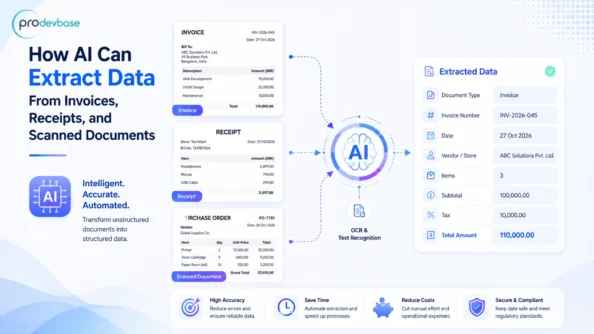
AI is changing the way that finance teams deal with paperwork. The first step is for an employee to open the bill. Then the figures are entered into accounting software, whereupon small typing mistakes creep in, and payments get delayed. So let’s know about How to Automate Invoice Processing With AI.
AI takes over the task of doing this. For instance, the software looks at a document and identifies the important fields. It then passes on the clean data to the finance system. As a result, the teams no longer have to retype the numbers. Instead, they begin to verify the results.
Moreover, paper can come in various forms. Files sent by email as PDFs, photos of receipts taken on a phone, and scanned pages all require handling. As a result, using a single tool that processes all the different formats saves hours each week.
How AI Reads a Document
The AI combines text-reading software, or OCR, with machine learning. Initially, the OCR converts the pixels in an image into text. After that, the AI determines the meaning of each piece of text. For instance, it can distinguish between an invoice number and a purchase order number. In a similar way, it identifies totals, tax lines, vendor names, and due dates.
Moreover, modern models are able to cope with changing layouts. It is possible for a supplier to redesign a template during the night. Unlike fixed-rule tools, AI is capable of adapting since it learns patterns rather than exact positions. At the same time, a confidence score identifies fields that are unclear and prompts a human to check them.
Also read: How to Protect Sensitive Business Data When Using Generative AI?
Handling Scanned and Low-Quality Pages
Scanned pages present yet another difficulty. Skewed pages, pale ink, and stamps all reduce accuracy. To counter this, the AI processes the image before reading it. It first aligns the page, then eliminates the noise and adjusts the contrast. Finally, it extracts the text to produce clean output in the form of a spreadsheet or JSON file.
Accuracy continues to improve over time. The model learns from each comment made by a reviewer. In the same way, new suppliers attain a high level of accuracy rapidly. Lastly, finance teams come to trust the results.
Key Benefits of AI Document Data Extraction
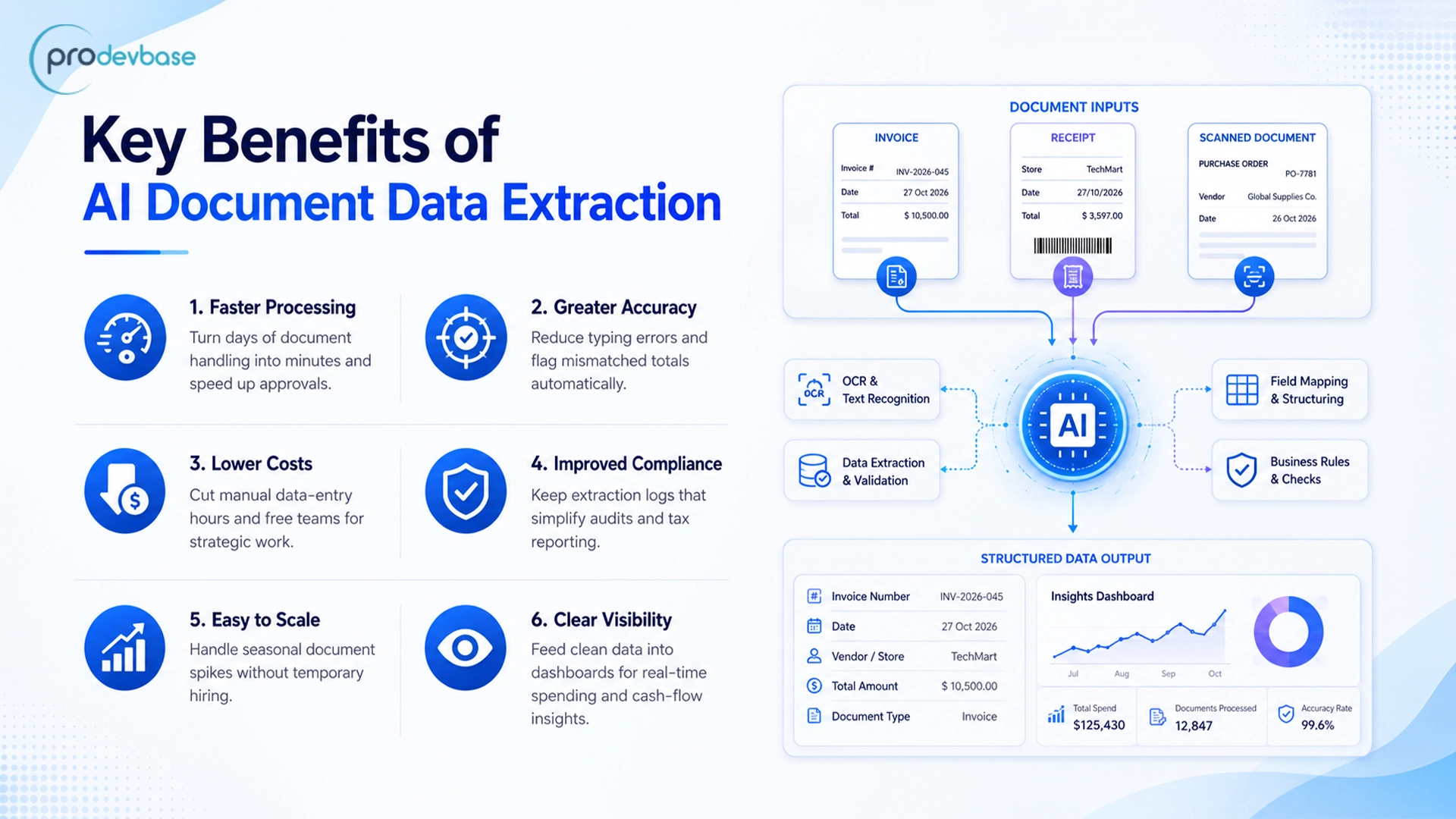
- Faster processing – Documents that used to take several days to deal with now clear up in a matter of minutes. As a result, approvals are no longer delayed.
- Greater accuracy – Since the software never gets tired, mistakes when typing become rare. Furthermore, the built-in checks pick out any totals that don’t match.
- Lower costs – Automation reduces the hours required for data entry. Money is then available for strategic work.
- Improved compliance – All the fields extracted can be logged. This in turn makes audits and tax reports easier.
- Easy to scale – Volumes can double during the peak season, and temporary hiring is not necessary.
- Clear visibility – The data feeds used by the dashboards are kept clean. Because of this, leaders can see spending and cash flow in real time.
Practical Use Cases for Invoice and Receipt Automation
AI can be used for extracting data from invoices in a wide range of industries. For example, any group that has to deal with routine paperwork can benefit from it. The instances listed below illustrate where the advantages are obvious.
- Accounts payable – For example, a manufacturer takes the invoices sent by its suppliers from a common inbox. The system then posts them to the ERP automatically.
- Expense reports – Employees take photographs of their receipts. After that, the app enters the name of the merchant, the date, the tax, and the amount.
- Retail receipts – A loyalty app can read retail receipts. As a result, purchases are verified, and points are awarded.
- Order matching – For order matching, the system compares the invoice with the order and the delivery note and then identifies any discrepancies.
- Logistics paperwork – A freight company copies the shipment numbers and tariff codes from the shipping documents. As a result, customs clearance is sped up.
- Insurance and health claims – The claim forms and medical bills are read and coded. They are then sent to the appropriate adjuster.
How to Implement AI Invoice Data Extraction Step by Step
Having a clear plan stops effort from being wasted. The following is a practical route leading from pilot stage to full use.
Step 1: Set the scope – First, select a document type, for example, supplier invoices. Then make a list of the important fields, such as the totals, the dates, and the line items.
Step 2: Get samples – Next, collect a diverse range of files. For example, include clean PDFs, blurry scans, and photos so that the model meets real-world conditions.
Step 3: Choose an engine – Afterwards, compare the OCR services and document AI platforms. In addition to accuracy, check the language support, the pricing, and the data privacy terms.
Step 4: Establish checks – Meanwhile, include rules relating to tax calculations, duplicate invoice numbers, and missing fields. As a result, bad data cannot get into the ledger.
Step 5: Link the systems – Then connect the output to accounting or ERP tools using APIs. In this way, the data can flow without manual exports.
Step 6: Track the results – Each week, review the accuracy of the results. In the meantime, send the feedback back to the model so that its performance can improve.
Tools and Technologies Behind Document Data Extraction
A reliable pipeline is the result of several layers of technology working in unison. Each layer has a definite role. The appropriate combination then varies according to the volume and complexity of the documents.
- Text-reading engines – For instance, Tesseract, Google Cloud Vision, and Amazon Textract convert images and scans into text.
- Document AI platforms – Similarly, Azure AI Document Intelligence and Google Document AI provide ready-made models for invoices and receipts.
- Language models – These also read messy text, classify documents by type, and enter the appropriate values into the correct fields.
- Workflow tools – Lastly, Power Automate, n8n, and the ERP connectors feed data into QuickBooks, SAP, or NetSuite.
Success is not guaranteed just by using the right tools. The way a system is designed, the security settings, and the review procedures all affect the end result. Because of this, companies usually turn to a specialist partner. For instance, Prodevbase creates custom AI pipelines that integrate these various stages into a single reliable system.
Ready to automate document processing?
There is no longer any reason for manual entry to hinder a finance team. Therefore, arrange a free consultation with Prodevbase. Find out how AI can confidently read invoices, receipts, and scanned files.
Conclusion
Using AI to extract data from invoices changes work that has relied heavily on paper into a quick, accurate, and traceable procedure. Invoices, receipts, and scanned documents are converted into clean data without the need for hours of typing. This means that teams achieve greater speed and gain greater control. Moreover, they gain time that can now be spent on analysis rather than on data entry.
Prodevbase provides AI services and solutions that are customized to meet specific business requirements. Why not get in touch with them now to begin a pilot and convert document disorder into clean data?