
Stop Wasting Time: Which Business Processes Should You Automate With AI First?

AI Business Process Automation: 6 Workflows to Automate First for Faster Growth
Why Smart Teams Automate With AI Step by Step
The Risk of Automating Too Much, Too Soon
At the moment, leaders are keen to use AI for automation, but they usually choose an inappropriate starting point. As a result, projects come to a standstill, budgets get reduced, and teams end up losing trust. Therefore, the first decision is just as important as the tool itself. A series of small and specific successes delivers the best results. For example, one automated invoice process can free up several hours each week. Besides, an early success helps to build confidence throughout the company. As a result, subsequent projects get faster approval. So let’s have a look at AI Business Process Automation.
Since each company is unique, there is no single universal list. Nevertheless, certain processes do have obvious characteristics. The following guide explains which business processes to automate with AI, how to select them, and what actions to take afterwards.
What Makes a Process a Good Candidate
First, look for jobs that repeat daily. At the same time, look for obvious rules and well-structured data. On the other hand, tasks that require deep judgment or empathy are seldom appropriate for early automation.
Besides, calculate the cost of making errors. Where mistakes are expensive, the AI provides value by ensuring consistency. Just as important, take volume into account. Since tasks involving a high volume lead to quick savings, they deserve priority.
How to Score Processes
Then assign each process a score, on a scale from one to five, in relation to volume, repetition, data quality, and risk. After that, add up the scores. The processes with the highest total scores take priority.
In a similar way, assess the amount of effort required to launch each option. Since a quick win is better than a perfectly planned approach, begin with the one that involves low effort and high impact.
Six Signs a Process Is Ready to Automate With AI
- The same steps repeat – Since this happens over and over again, the model can easily pick up the pattern.
- The volume is high – Since hundreds of items go through each week, the small amount of time saved quickly accumulates.
- The rules are clear – Because the process is based on well-defined logic, AI can apply it without getting confused.
- Digital data – Besides, the inputs are already in the form of emails or databases, so there is no need for manual conversion.
- Frequent errors – People tend to make mistakes regularly since the job is boring, which is why automating it leads to greater accuracy.
- A slow turnaround – Finally, customers or colleagues have to wait for a long time, so improving the speed of handling results in a noticeable benefit.
Business Processes to Automate With AI First
Taking the signs into account, let’s consider a few actual examples. Since these processes function in nearly any industry, they constitute a good starting point.
- Customer support triage – For example, the AI looks at the incoming tickets, assigns a tag to the topic, and then sends each one to the appropriate agent within seconds.
- Invoice processing – When it comes to processing invoices, AI identifies the names of the vendors, the amounts, and the dates before matching this information with purchase orders.
- Lead qualification – AI evaluates new leads based on their behavior and suitability, which means that sales representatives first contact the most promising prospects.
- Employee onboarding – For example, the AI will send out welcome emails, arrange the training, and provide answers to common HR questions on the first day.
- Report generation – While this is going on, AI retrieves data from several systems and prepares weekly summaries that managers used to produce by hand.
- Inventory forecasting – When forecasting inventory, AI analyses previous sales figures and seasonal trends so that teams can order the correct amount of stock at the right time.
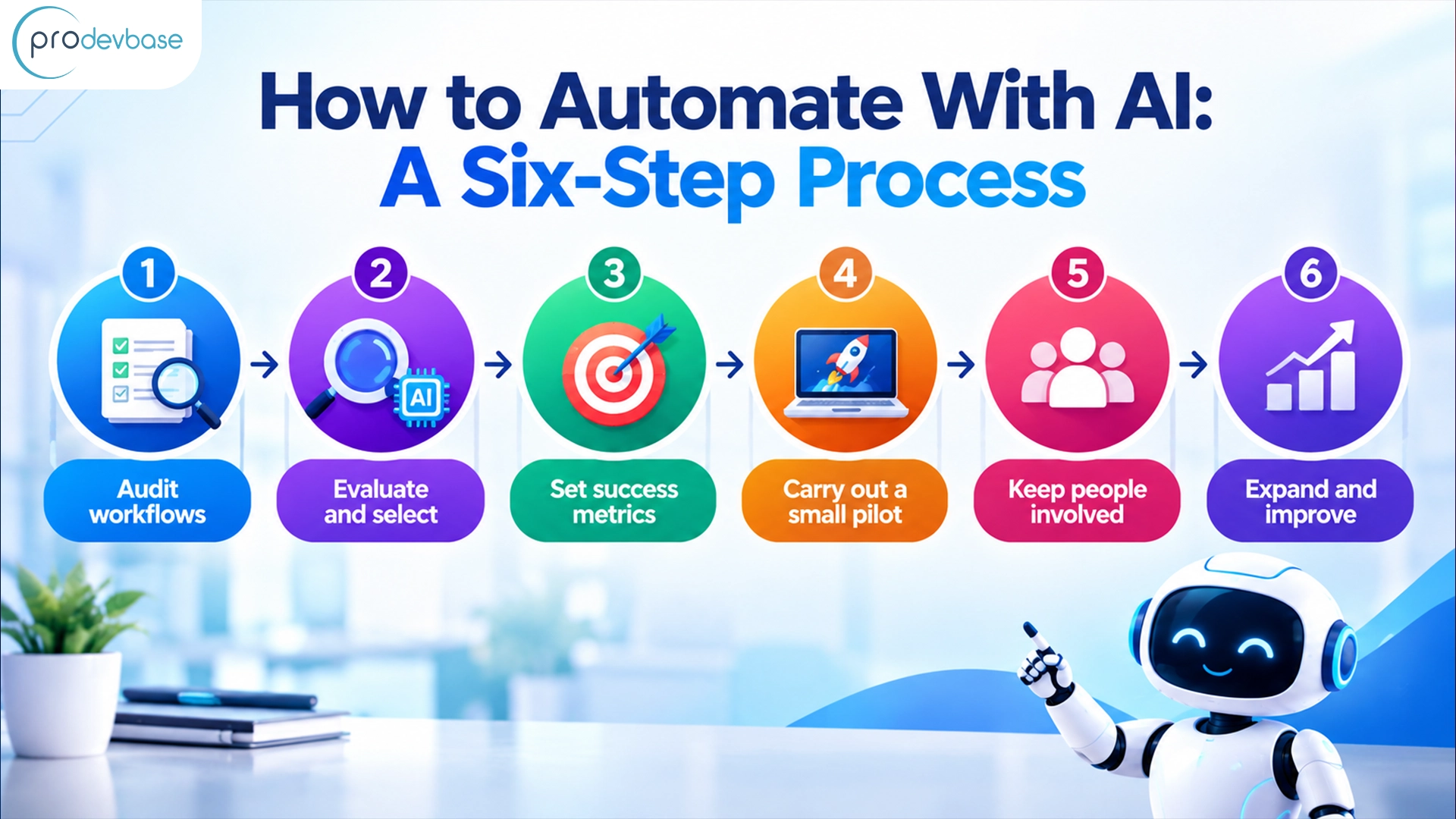
How to Automate With AI: A Six-Step Process
- Audit workflows – To get started, make a list of all the recurring tasks and state who carries them out, how long they take, and where delays occur.
- Evaluate and select – After that, assess each task in terms of volume, risk, and effort, then choose the two or three best ones.
- Set success metrics – Establish specific objectives such as the number of hours saved, the error rate, or response time, so that the results can be demonstrated later on.
- Carry out a small pilot – Then have one team test the automation for four to six weeks, since small-scale tests allow problems to surface at a low cost.
- Keep people involved – For now, have individuals look over the output of the AI, as oversight ensures quality and helps to build trust.
- Expand and improve – Once the pilot has achieved its targets, proceed with expanding it to other teams, and check the performance on a monthly basis.
Tools and Technologies to Automate With AI
The right technology depends on the objective. That said, typical projects involve a combination of the categories listed below, and since these tools are easy to connect together, teams usually don’t have to start from scratch.
- Workflow automation platforms – Zapier, Make, and Microsoft Power Automate link together different applications and start actions without extensive coding.
- Conversational AI – Zendesk AI, Intercom Fin, and custom assistants based on large language models deal with support chats and answers to internal questions.
- Document intelligence – Google’s Document AI, UiPath’s Document Understanding, and Rossum read invoices, contracts, and forms with high accuracy.
- Analytics and forecasting – Power BI coupled with Copilot, Tableau, and DataRobot transform raw numbers into predictions and clear dashboards.
To achieve that, Prodevbase offers a range of AI services, such as workflow design, custom integrations, and training for staff, to ensure that launches proceed smoothly from the very first pilot.
First and foremost, security must influence each decision regarding tools. For instance, examine how the vendor stores the data and verify that it satisfies the compliance requirements. Otherwise, a rapid launch might end up being a costly risk. To sum up, select tools to match the process, and do not adjust the process to fit the tools.
Ready to find the best starting point? Arrange a free process review with Prodevbase to find out which workflows to automate with AI first.
Conclusion
The key to achieving success is to select work that is repetitive, high-volume, and based on rules. To put it briefly, start by testing on a small scale, measure the results, and then proceed step by step. As a result, savings arrive rapidly, and the team remains confident.
Prodevbase provides consulting, implementation, and support for AI automation, with services customized to the individual business. Get in touch with us now to map out the workflows, select the first project, and automate with AI in the smart way.